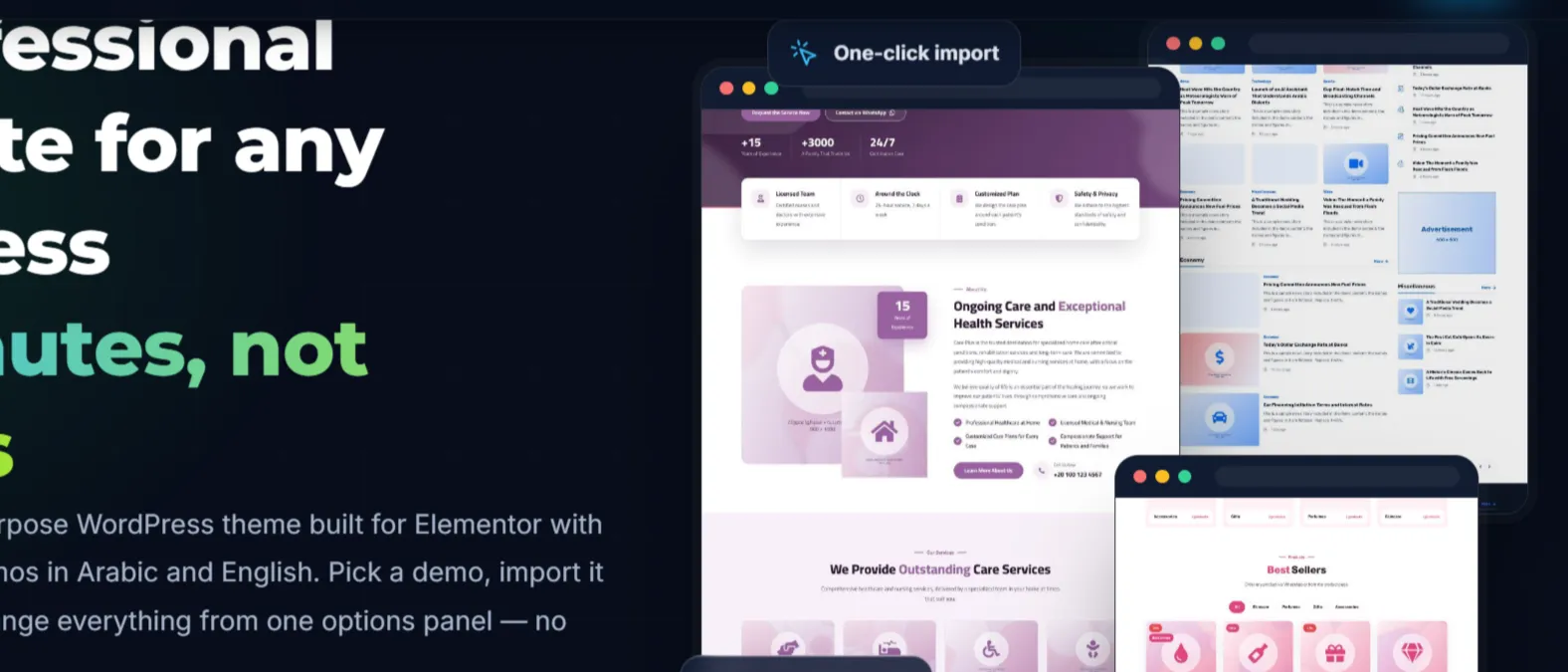
media serve code

Build a Professional WordPress Website in Minutes, No Code Required: The Complete Guide with Sila

Mmohamed tag eldin 📅 27 October 2026 ⏱ 6 min read 👁 45
Build a Professional WordPress Website in Minutes, No Code Required: The Complete Guide with Sila

Build a Professional WordPress Site, No Code | Sila Theme

Not long ago, building a professional WordPress website meant weeks of design work, custom development and juggling plugins. Today you can get the same result in minutes with a no-code WordPress theme like Sila, which bundles 44 ready demos in Arabic and English and is built for Elementor. In this guide, we’ll go step by step from purchase to a live website.

What You Need Before You Start

The requirements are simple:

  • WordPress 6.2 or later and PHP 7.4 or later.
  • The free Elementor plugin, the drag-and-drop page editor.
  • The Sila Core plugin, which comes with the theme at no extra cost.

You don’t need to buy any other paid plugin. WooCommerce is only required if you’re building an online store.

Step 1: Pick the Demo That Fits Your Business

Before buying, open the live demos and try them on mobile and desktop. Each demo is a complete website with its own pages, content and menus, grouped by industry:

  • Medical: Home care and nursing, dental clinic, pediatrician, OB-GYN.
  • Pest control: Five different designs.
  • News and magazines: News website, daily newspaper, online magazine.
  • Stores and restaurants: Online store, restaurant, café, beauty center.
  • Business and services: Real estate, travel agency, digital marketing, cleaning company.
  • Personal: CV site and single-page landing page.

If you want a bilingual site, every design comes in both RTL (Arabic) and LTR (English) versions.

Step 2: Buy the Theme and Choose a License

All three plans include all 44 demos and every feature. The difference is the number of sites and the support period:

PlanSitesPriceSupportSingle site1$592 months5 sites5$149Priority, 6 monthsAgency25$299Priority, 1 year

After purchase, you’ll find the theme file and your license key in your account on the store.

Step 3: Upload the Theme and Activate Your License

  1. In your WordPress dashboard, go to Appearance → Themes and upload the theme file.
  2. Go to Sila → License, paste your key and click Activate.
  3. From the Plugins tab, install the required plugins in one click.

Tip: If you’d like to build the site before moving it to your real domain, work on localhost or a .local or .test address. The theme runs there with all features and no activation. Activation is only needed on your live domain.

Step 4: One-Click WordPress Demo Import

This is the most important step in the guide. Go to Sila → Demo Import, choose your demo and click Import. These elements are set up automatically:

  • Pages and posts.
  • Menus and footer.
  • Logo and colors.
  • Free real stock images instead of empty placeholders.

You can follow the progress on screen until your site is ready.

Step 5: Customize the Site Your Way

From the Sila settings panel, you can change everything without code:

  • Colors: 10 ready palettes, or your own brand colors.
  • Fonts: 14 Arabic fonts, including Cairo, Tajawal, Almarai and IBM Plex.
  • Header: 6 logo and menu layouts, 4 colors and 5 link styles.
  • Contact: Phone numbers, social links and a floating WhatsApp button.

You can also export and import your settings, which makes moving them between sites easy.

Step 6: Edit Your Content with Elementor

The theme includes 33 custom Elementor widgets that you drag and drop onto your pages:

  • Hero slider, services sections and team members.
  • Testimonials, pricing tables and FAQs.
  • Counters, image gallery, timeline and working hours.
  • Contact forms and products, plus a breaking-news ticker and news slider for news sites.

If your business is a store, enable WooCommerce and choose to take orders online, via WhatsApp, or both.

Step 7: Get Your Site Ready for SEO and Speed

Once your content is in place, focus on the details that help you show up on Google:

  • The theme uses structured HTML5 headings from H1 to H6, so keep a single H1 on every page.
  • It includes breadcrumbs with Schema.org markup.
  • Install Rank Math or Yoast SEO and add a title, description and focus keyword to every page.
  • Enable a suitable cache plugin such as LiteSpeed Cache or WP Rocket. The theme is compatible with both, as well as Cloudflare.

The theme gives you a clean technical foundation, but your Google rankings also depend on content quality and hosting.

Common Mistakes to Avoid

  • Leaving demo content untouched: Edit the text and images so your site is unique and doesn’t duplicate other sites.
  • Forgetting meta data: Every page needs its own SEO title and description.
  • Moving the site without deactivating: If you move to a new domain, deactivate the license on the old one and activate it on the new one.
  • Ignoring the mobile experience: Open your site on a phone before publishing, even though all demos are fully responsive.

Frequently Asked Questions

Do I need programming experience?

No. Import, customization and editing are all done through visual panels and interfaces, with no code.

How long does it take to build the site?

The import itself takes minutes. The rest of your time goes into editing content and images.

Do updates arrive automatically?

Yes. They appear on the WordPress updates page, or install automatically if you turn on auto-updates.

Can I use the theme for client projects?

Yes. The Agency plan covers up to 25 sites and includes a Multisite tool that creates a showcase site for all demos.

Conclusion

Building a professional WordPress website is now much easier: choose a demo, activate your license, import in one click and edit with Elementor without writing a single line of code. And Sila starts at just $59.

View the live demos | Start your site with Sila

#how to build a WordPress website#build a website without coding#Elementor website design#ready-made WordPress theme#WordPress demo content#one-click demo import#WordPress site in minutes#WordPress theme for beginners#WordPress theme for businesses
Share WA f X in 🔗

Related articles

AI News Autopilot: Smart Automation for News Aggregation and AI Rewriting in WordPress
اضافات 16 Sep 2026 3 min read

AI News Autopilot: Smart Automation for News Aggregation and AI Rewriting in WordPress

round-the-clock editorial team. AI News Autopilot from MediaServe Code offers full automation, complete operational cont...

Read article →
MS Sila Multi-Purpose WordPress Theme: 44 ready-made versions in Arabic and English available for import.
اضافات 13 Oct 2026 7 min read

MS Sila Multi-Purpose WordPress Theme: 44 ready-made versions in Arabic and English available for import.

MS Sila: A versatile WordPress theme for Elementor featuring 44 ready-made layouts (Arabic and English), one-click impor...

Read article →
Sila WordPress Theme: A Multipurpose Theme with 44 Ready Demos in Arabic and English
اضافات 27 Oct 2026 6 min read

Sila WordPress Theme: A Multipurpose Theme with 44 Ready Demos in Arabic and English

Sila WordPress Theme: 44 Arabic & English Demos

Read article →

Comments

No comments yet — be the first!

Leave a comment

Appears after review