
Let visitors listen to your articles
with one tap
MS Article Voice adds a "Listen to this article" button to every post, like the big news sites. The browser voice is free and unlimited, and for one natural voice for every visitor turn on the Azure or Google AI voice inside their free plans.
Starting at $39 · automatic updates & support
Everything your site needs to speak
One light plugin: it works on its own from activation, and everything is set from an easy dashboard.
Works on its own
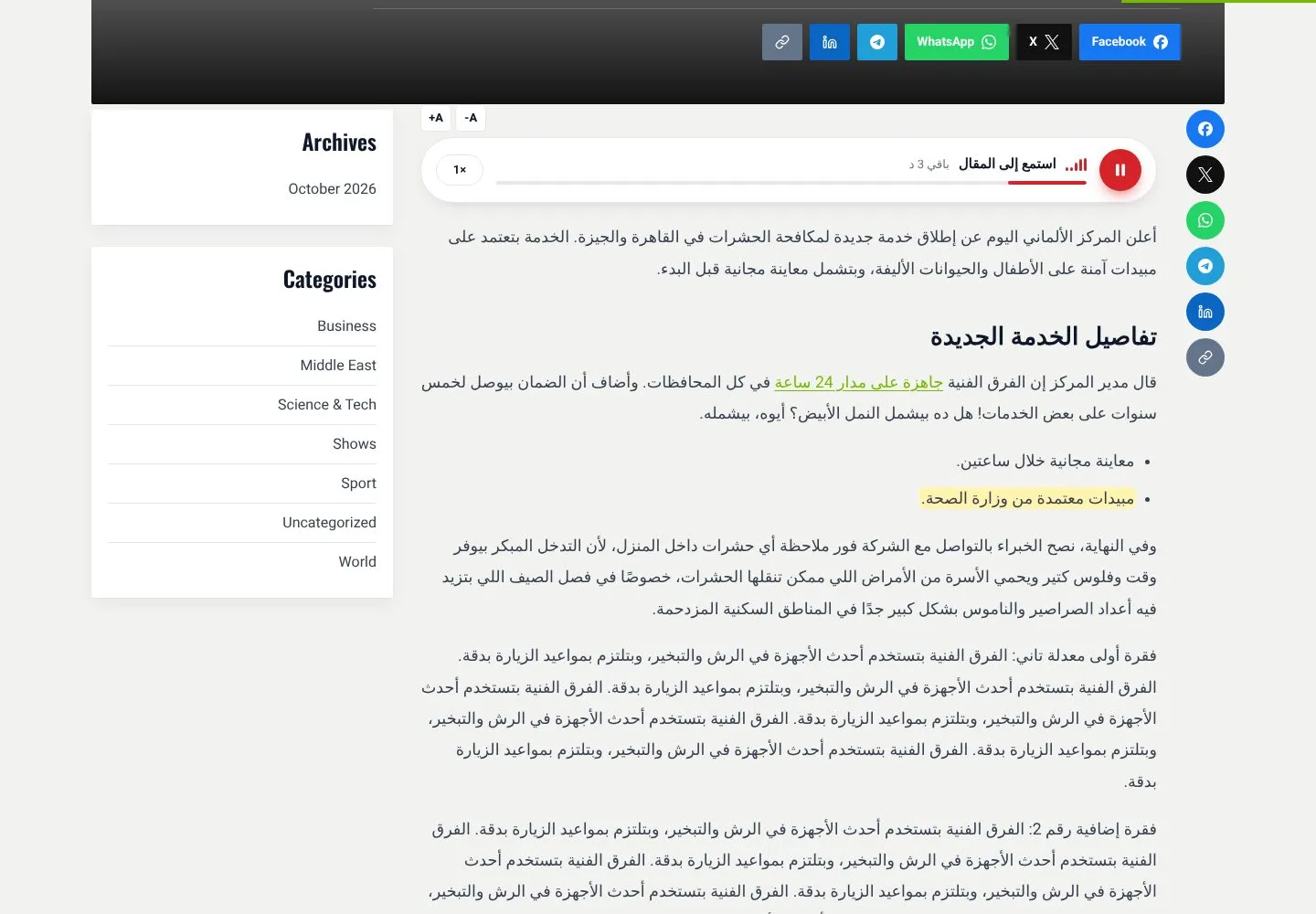
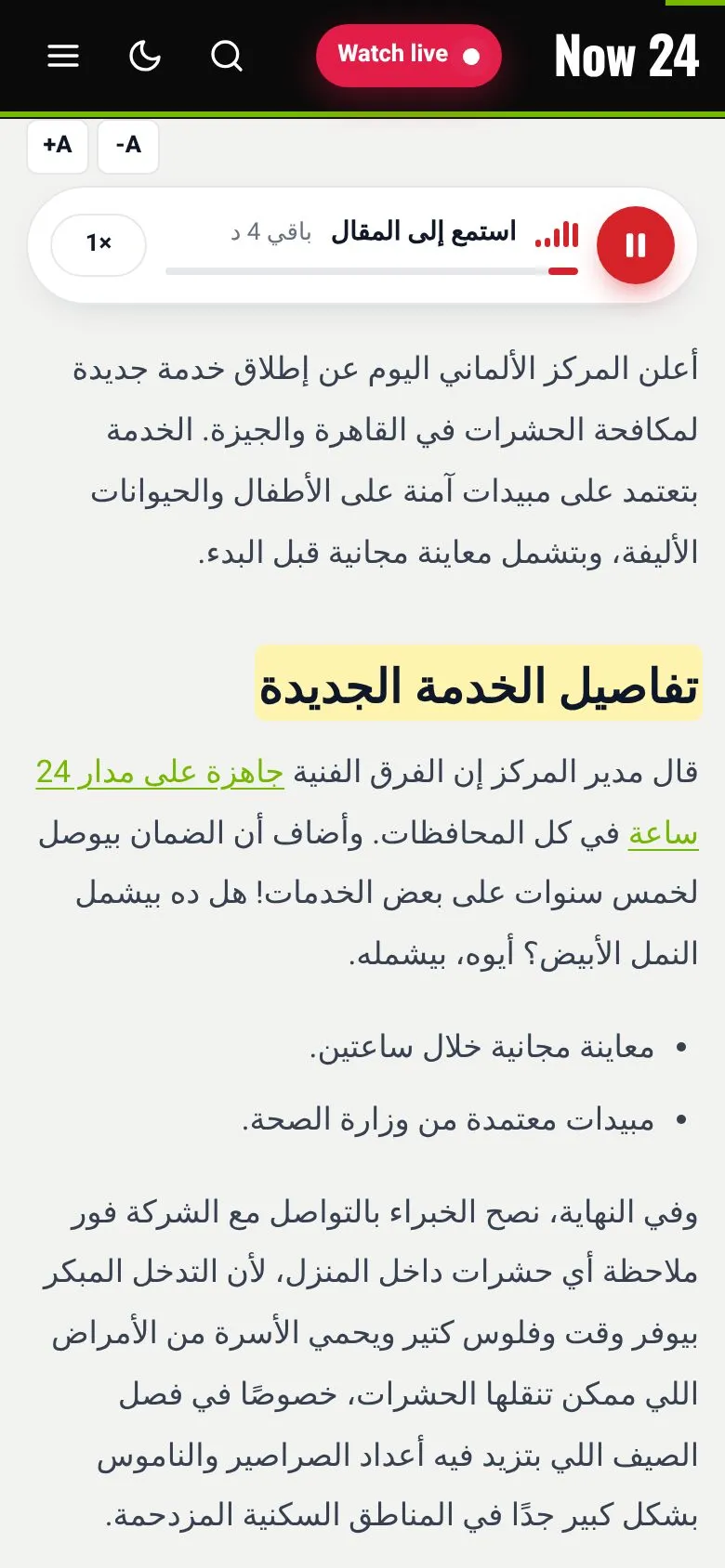
The button appears above or below every post without editing your theme, or anywhere with [ms_article_voice].
Free browser voice
Unlimited, no setup — the plugin picks the best Arabic or English voice on the visitor's device.
Natural AI voice
Azure or Google with Egyptian, Saudi, Emirati, Jordanian and English voices — one voice for every visitor.
Sentence highlight
The sentence being read is highlighted and the page follows it, so readers can follow along.
Start from any paragraph
Click any paragraph while listening and the voice jumps straight to it.
Speed & controls
Speed from 0.75× to 2×, and play/pause from the phone lock screen.
3 styles, your colours
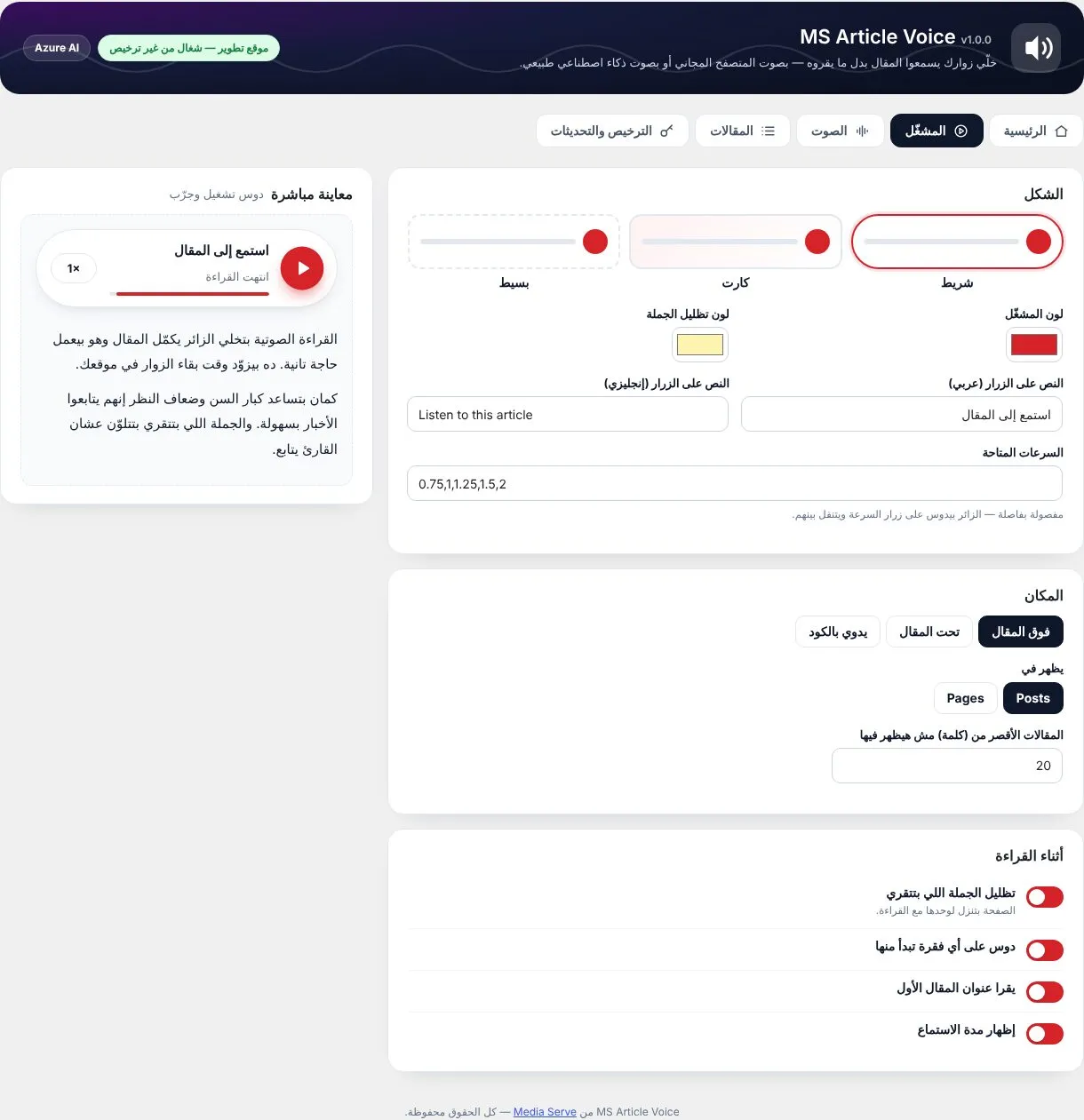
Bar, card or minimal, in your colour, with your highlight colour and button text.
Saves your quota
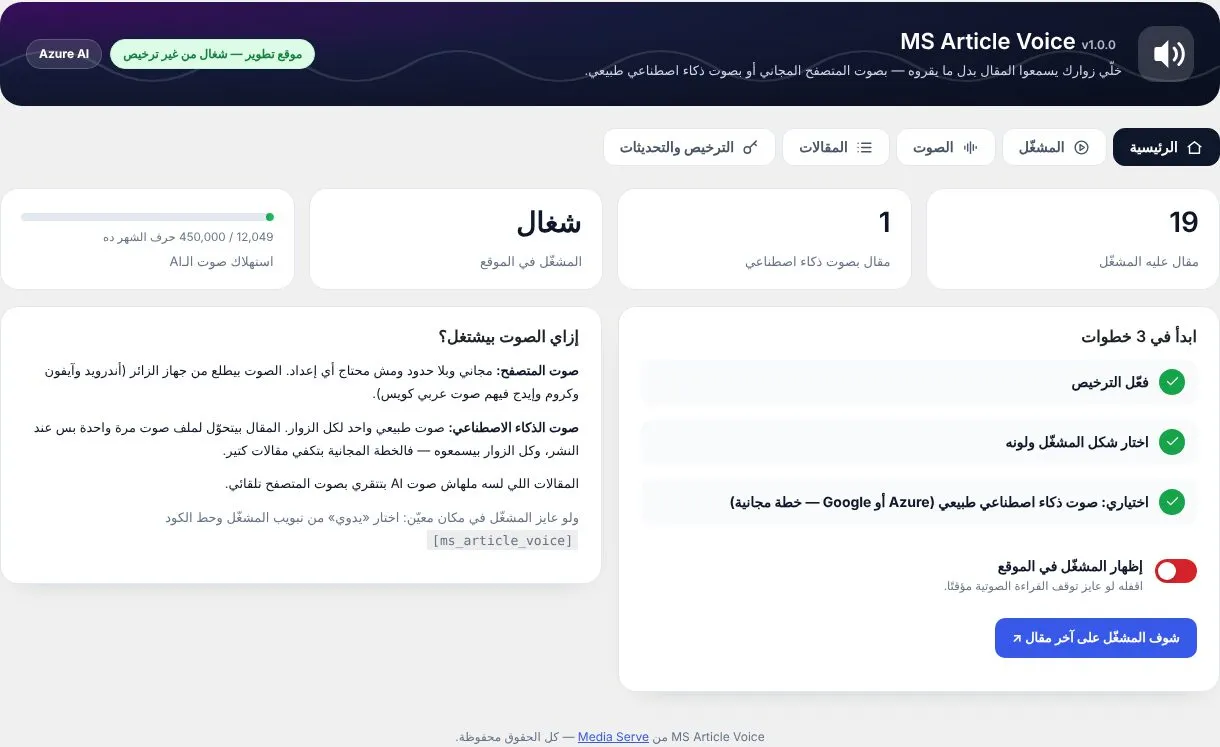
Audio is made once, edits re-make only the changed part, and a monthly limit keeps you free.
Light & fast
No libraries; loads on post pages only after the page — and audio only when the visitor presses play.
On your site and in your dashboard
These are the real screens — the player on a post and the dashboard.
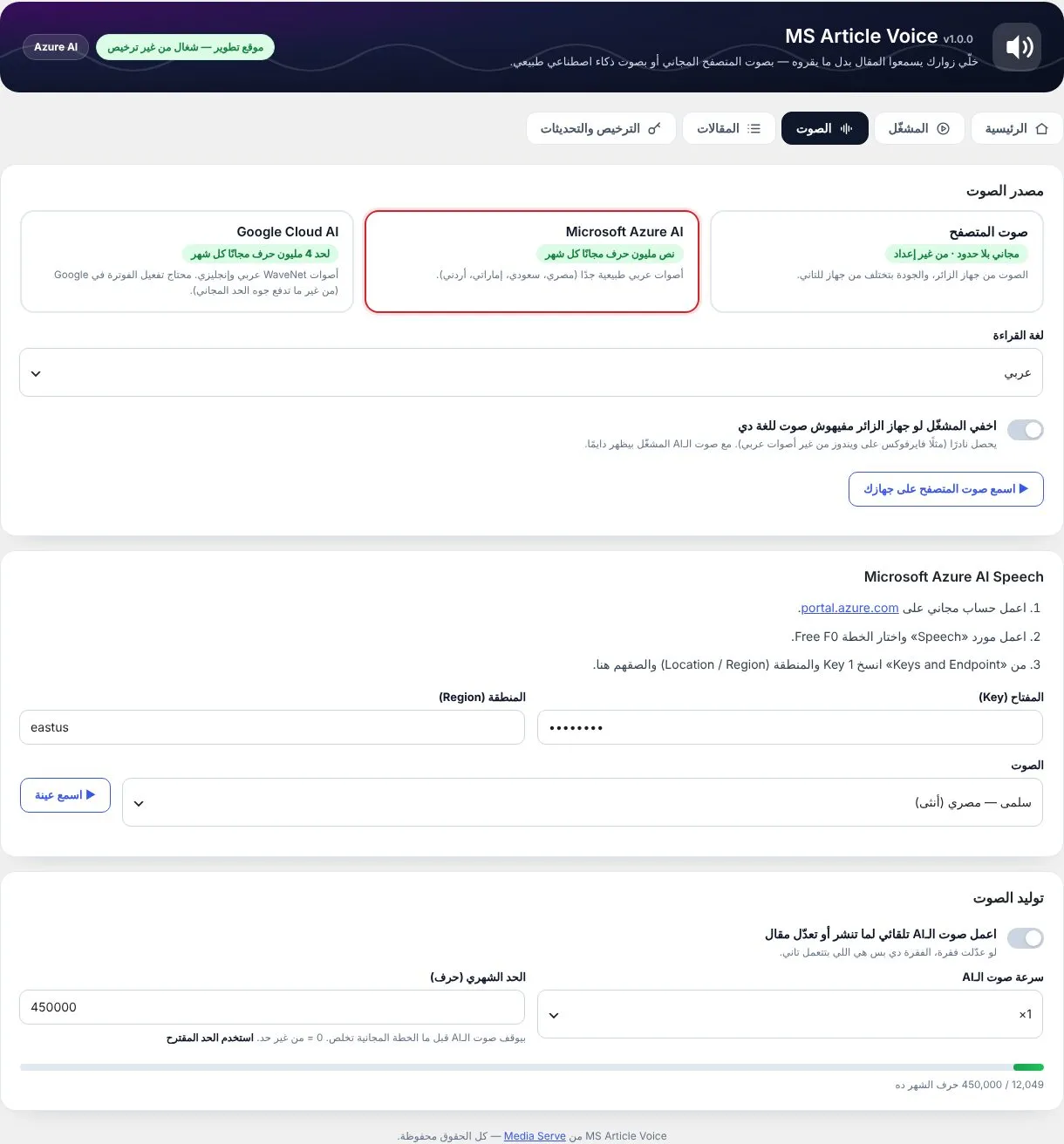
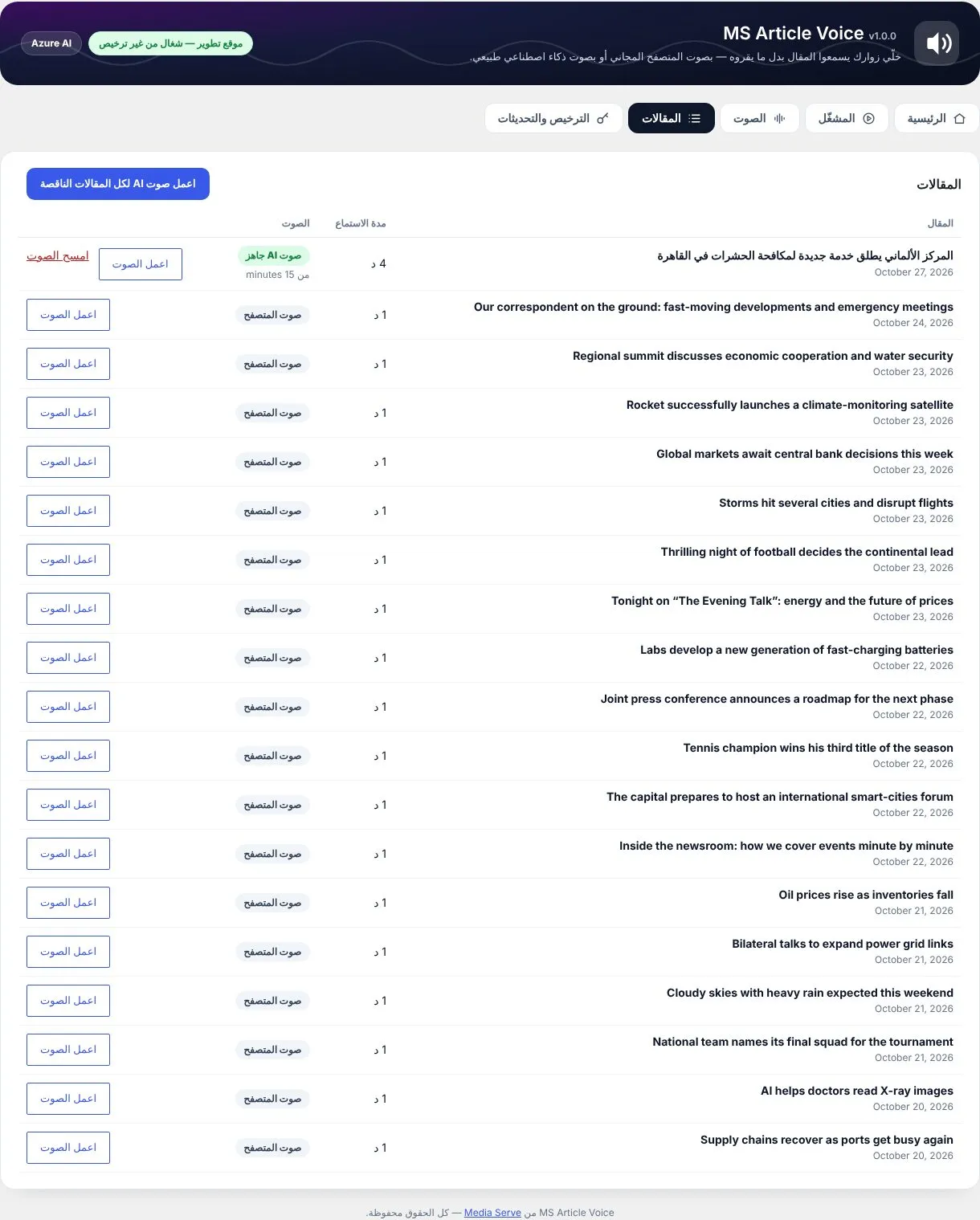 Click to zoom
Running on your site in 3 minutes
Upload & activate
Plugins → Add New → Upload, then activate MS Article Voice.
Activate your key
Paste your key in Article Voice → Licence & updates — the button appears on your posts.
Optional: AI voice
Create a free Azure or Google account, paste the key and hear a sample before saving.
Fast, with no SEO side-effects
- One small deferred JS file and a small CSS file
- Loads on post pages only
- Audio loads only when the visitor presses play
- The article text stays as it is for search engines
- Audio files live on your site (uploads folder)
- Works with cache plugins
Requirements & compatibility
Automatic updates and support from the developer
Every licence is linked to your store account and delivers each new update right to your WordPress dashboard.
Choose your licence
Every plan includes every feature, automatic updates and support for its whole period.
Single site — lifetime
- Free, unlimited browser voice
- AI voice from Azure or Google
- Sentence highlight and start from any paragraph
- Lifetime automatic updates
- Support
Got a question?
Do I need a paid voice service?
No. The browser voice is free, unlimited and works as soon as you activate the plugin. The AI voice is optional: Microsoft Azure gives 500,000 free characters a month and Google up to 4 million.
What is the difference between the browser and the AI voice?
The browser voice comes from the visitor's own device, so it varies between devices. The AI voice is one natural voice for every visitor: each post becomes an audio file once and everyone plays it.
If I edit a post, is all the audio made again?
No. Posts are split into parts and only the part with the edited paragraph is made again — saving your free characters.
Could I be charged by the voice service by mistake?
You set a monthly character limit (we suggest one under the free plan). When it is reached, new posts use the browser voice until next month.
Will it slow my site down?
No. The files are tiny, load on post pages only and after the page, and audio loads only when a visitor presses play.
How many sites is a licence for?
One site, lifetime, with updates. On localhost and test sites (.local, .test) the plugin works without a key.
Constantly improving
Everything added, improved and fixed in each release — updates reach licence holders automatically.
First release
- NewA "Listen to this article" button added above or below posts automatically, or anywhere with [ms_article_voice]
- NewA free, unlimited browser voice that picks the best Arabic or English voice on the visitor's device
- NewAn optional natural AI voice from Microsoft Azure or Google Cloud with Egyptian, Saudi, Emirati and Jordanian voices
- NewThe sentence being read is highlighted and the page scrolls along
- NewClick any paragraph to start reading from it
- NewA reading-speed button (0.75× to 2×) and lock-screen controls on mobile
- New3 player styles (bar, card, minimal) with your colours and Arabic/English button text
- NewAI audio is made once per post; editing a paragraph re-makes only its part
- NewA monthly character limit and a usage meter to stay inside the free plan
- NewPosts table: make or delete the audio of any post, or make it for every post at once
- NewA tabbed dashboard with instant save, a live preview and voice samples before saving
- NewHide the player on a single post, or on short posts
- NewLicence from the Media Serve store with automatic updates
- NewFull Arabic RTL and English in the dashboard and the player


Make your site speak today
A lifetime single-site licence for $39 with updates.